


%20(1).avif)
.avif)

iPlum is the best Zoom Phone alternative for businesses and professionals who want more control over communication, better compliance tools, and a truly mobile-first setup.
Unlike Zoom Phone, which centers on meetings and team collaboration, iPlum focuses on voice and text features tailored to highly regulated industries like healthcare, law, and finance.
It offers HIPAA-compliant messaging, encrypted texting, business hour settings, and call recording in one easy-to-use app.
If your team works on the go or needs a separate business line without the complexity of a full UC suite, iPlum is a simpler, more affordable Zoom Phone competitor.
In this article, we’ll look at Zoom Phone’s strengths and limitations, then break down how iPlum stacks up against other options like Nextiva, RingCentral, and Dialpad.
But first,
Zoom Phone Reviews: What Are Users Saying?
Zoom Phone has received a mix of praise and criticism from users across platforms like G2, Capterra, Reddit, and Zoom’s own community forums.
Here's a snapshot of common feedback from real users:
Limited Collaboration Features
Some users find Zoom Phone lacking in collaboration tools compared to competitors.
"Zoom Phone isn’t a good fit for the internal communications of teams that need it to perform tasks together. It doesn’t have document sharing or task management tools in any of its plans."—user review, G2.
Security Concerns
Users have noted that Zoom Phone's security features are less robust than other providers.
"Zoom Phone lacks the strong security features other providers offer."—user review, Capterra.
Customer Support Challenges
Several users have expressed frustration with Zoom Phone's customer support, citing slow response times and unresolved issues.
"Their customer support is a waste of time. Their tickets take 1-3 business days. Major interruption of business services."— user review, Reddit
Call Reliability Issues
Several users have reported problems with call stability, including dropped calls and inconsistent audio quality.
"We have had several reports of inbound calls dropping after 5-10 seconds. This has happened in different parts of the US and for employees in the Philippines."— Zoom Community Forum.
On the positive side, users appreciate Zoom Phone's user-friendly interface and integration with other Zoom services.
"For the end user, it is very easy to use and can go from voice to video or chat. It can be multi-platform with Windows, Mac, Chromebook, Android, or iOS."— user review, G2.
Zoom Phone Features
Here are some notable Zoom Phone features:
- Call Forwarding – Redirects incoming calls to another number or device.
- Caller ID – Shows the caller’s name or number before you answer.
- Voicemail – Lets callers leave voice messages and allows you to customize greetings.
- Text Messaging (SMS) – Send and receive texts using your business number.
- Call Transfer – Move an active call to another team member.
- Mobile and Desktop Access – Allows you to use Zoom Phone on smartphones, tablets, or computers.
Why Consider a Zoom Phone Alternative?
Indeed, Zoom Phone works well for businesses already deep in the Zoom ecosystem. However, it’s not always the right fit for everyone.
Here are some reasons users look for other options:
- Spotty call reliability – Users report dropped calls and audio issues, especially during peak hours.
- Slow customer support – Support tickets often take days to resolve, causing disruptions.
- Complex setup process – Number porting and onboarding can be time-consuming and confusing.
- Heavy focus on meetings – Prioritizes video and collaboration features over core voice needs.
- Lack of flexible business hours – Basic options for managing availability and voicemail.
- No built-in texting compliance – Doesn’t support encrypted or regulated text messaging out of the box.
- Price creep with add-ons – Costs can rise quickly if you need international calling or advanced features.
- Limited control for small teams – Some tools are better suited for larger enterprises than small businesses.
- Better mobile experience elsewhere – The mobile app can feel clunky compared to lighter, text-first apps like iPlum.
Best Zoom Phone Alternatives
Here's a quick overview before diving into the top Zoom Phone alternatives.
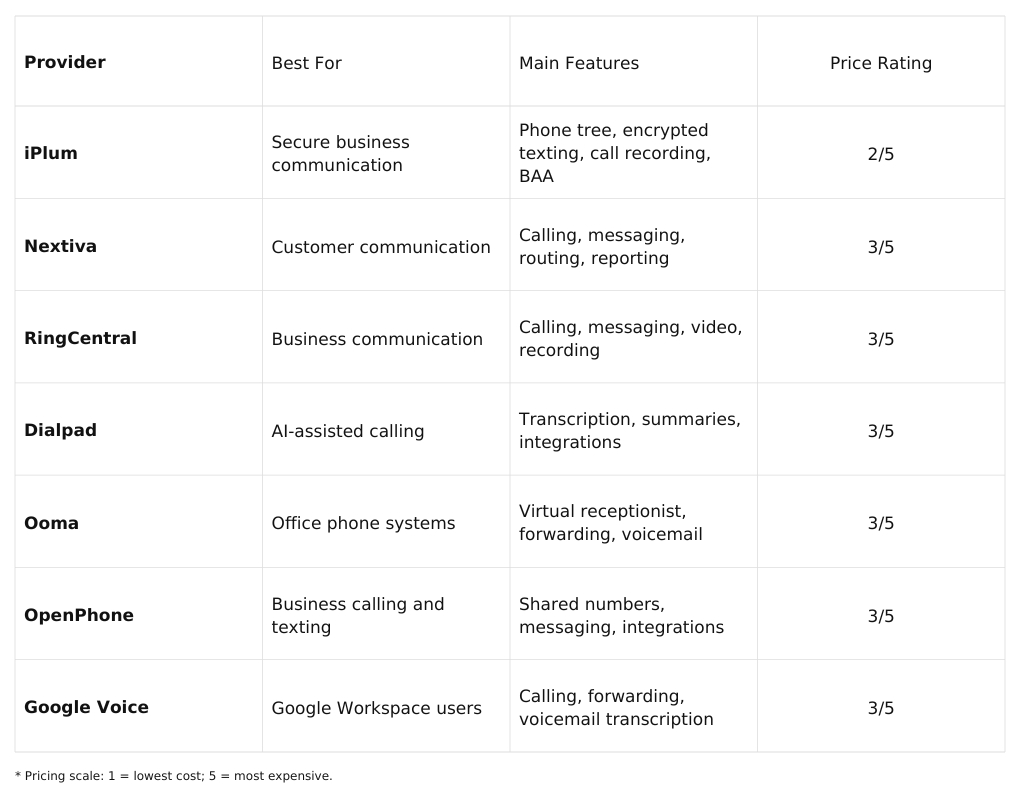
1. iPlum (Best Value)
iPlum is the best Zoom Phone competitor for professionals and businesses whose day-to-day activities involve ensuring secure client communication.
While the two share some similarities, they serve different use cases. Zoom Phone, on one hand, works best for companies that are already using Zoom for meetings and internal collaboration. It brings calling into that same workspace.
iPlum, on the other, is built for client-facing industries. We’re talking about healthcare, legal, and finance, where secure texting, call recording, and compliance are must-haves.
Zoom Phone stands out in environments with constant meetings, team chats, and video calls. Its features, such as AI call summaries, shared lines, and meeting escalation, blend well with Zoom’s larger ecosystem.
But when your work revolves around phone calls and text messages with clients, iPlum holds its own with features designed to support those real-time, often sensitive interactions.
You also get encrypted messaging, HIPAA support, business hour settings, phone tree, voicemail transcriptions, and more in a mobile-first app.
Plus, with iPlum, you can port your number, set up call routing, and manage voicemail in a few clicks. That makes iPlum especially appealing to small teams and independent professionals looking for a business phone system they can use right out of the box.
Texting is another difference.
Zoom Phone allows SMS, but it’s basic. iPlum goes further with auto-replies, out-of-office messages, and client-facing secure messaging using the free app. That’s a big plus for industries where you can’t just send a regular text.
Device flexibility also comes into play.
Both tools support multiple devices. However, iPlum is better suited for bring-your-own-device setups. It lets you add a business line to your phone without sharing your regular number. That’s useful for mobile teams, freelancers, and anyone juggling work and personal life from the same device.
Sure, Zoom Phone has its place, especially in large offices with centralized IT and a deep Zoom stack. But if you’re serving clients one-on-one, handling sensitive information, or want a clean, secure way to manage calls and texts, iPlum offers a better experience.
Furthermore, iPlum caters to professionals and businesses operating in a world where work happens on the go.
Learn More About iPlum Features
iPlum Pricing
Price rating: 2/5
iPlum offers 3 pricing plans.
The Standard Plan includes mobile app calling and texting in the U.S. and Canada, voicemail, auto-replies, business hours, and phone tree.
The Professional plan builds upon the Standard plan, offering web-based calling and texting, secure encrypted texting, voicemail transcription, group and broadcast messaging, text archiving, and HIPAA compliance with a Business Associate Agreement (BAA) for healthcare.
The Enterprise plan offers everything in the Professional plan, plus call recording and compliance features for finance, insurance, legal, sales, and support sectors.
See iPlum’s pricing page for current rates.
How to Port Your Zoom Phone Number to iPlum
Porting your Zoom Phone number to iPlum is easy. Watch the video below for a step-by-step guide.
Click the link below to start porting your Zoom Phone number to iPlum.
Port Your Zoom Phone Number to iPlum
2. Nextiva
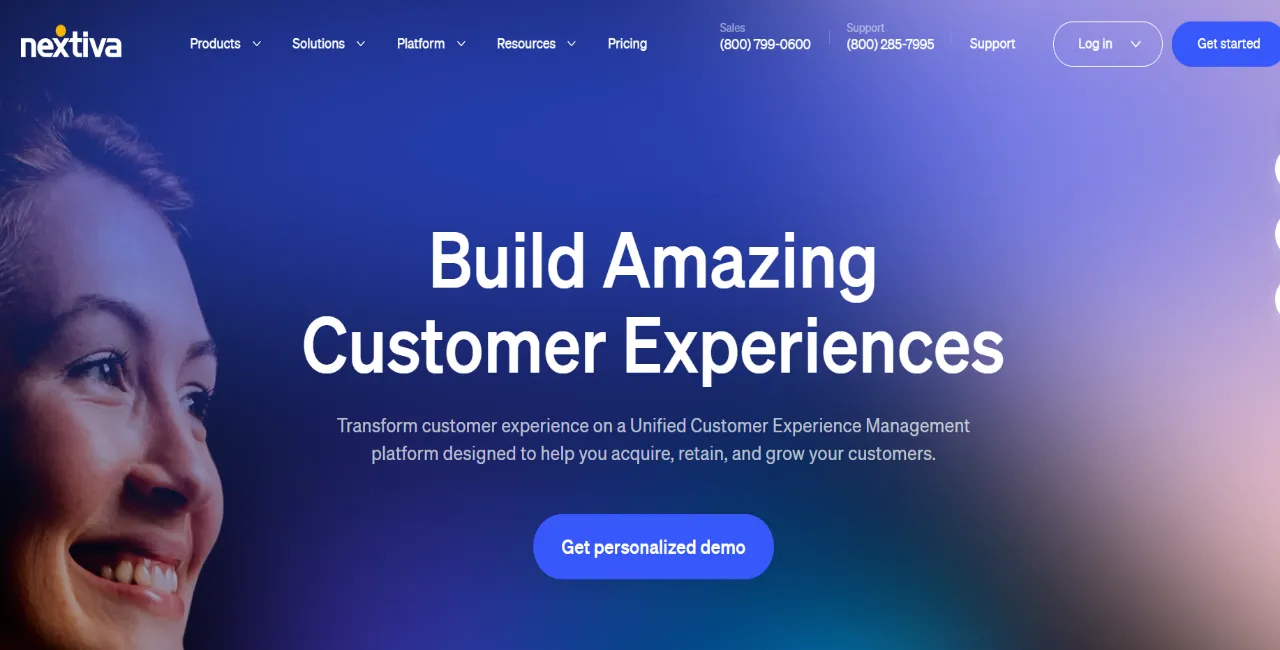
Nextiva is a Zoom Phone alternative you can consider if you want a phone system built around customer service and internal communication.
Unlike Zoom Phone, which is closely tied to its video and meeting tools, Nextiva is a full-featured business phone platform.
It supports team messaging, auto attendants, and analytics, making it a good fit for companies managing high call volumes or multiple departments. Nextiva also offers built-in CRM tools, which give sales and support teams more visibility into customer interactions.
While both platforms offer mobile access and cloud calling, Nextiva gives businesses more structure for managing users, extensions, and performance metrics.
Nextiva Pricing
Price rating: 3/5
Nextiva charges per user. Costs depend on your subscription and billing term.
3. RingCentral
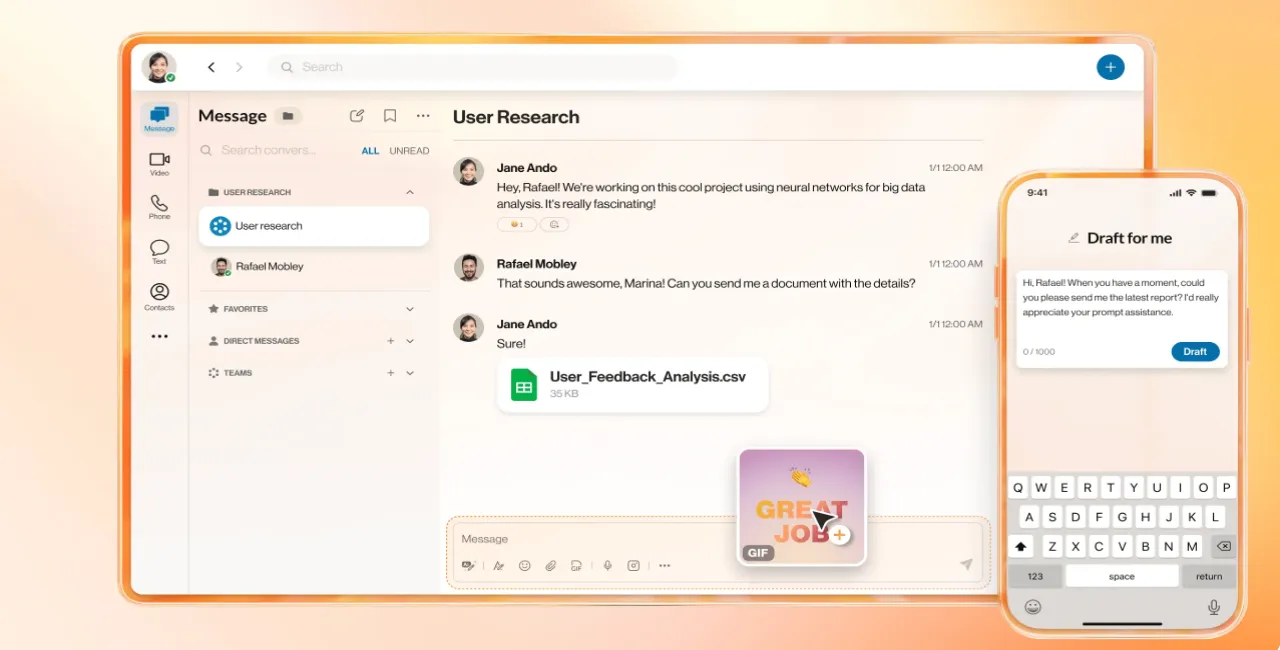
RingCentral is one of the best Zoom Phone alternatives for businesses that still use desk phones and want to bundle hardware with their phone service.
Although Zoom Phone offers solid cloud-based calling, it doesn’t provide built-in options for hardware rental. RingCentral, by contrast, lets businesses rent desk phones directly through their service, which can simplify setup for offices with traditional workflows.
In addition, both platforms support features like voice, SMS, video, and team messaging. However, RingCentral also has built-in fax, advanced call routing, and over 400 integrations.
It is worth noting, though, that RingCentral’s feature set may be more than necessary for smaller businesses.
RingCentral Pricing
Price rating: 3/5
RingCentral charges per user. Higher plans add more recording and reporting features
4. Dialpad
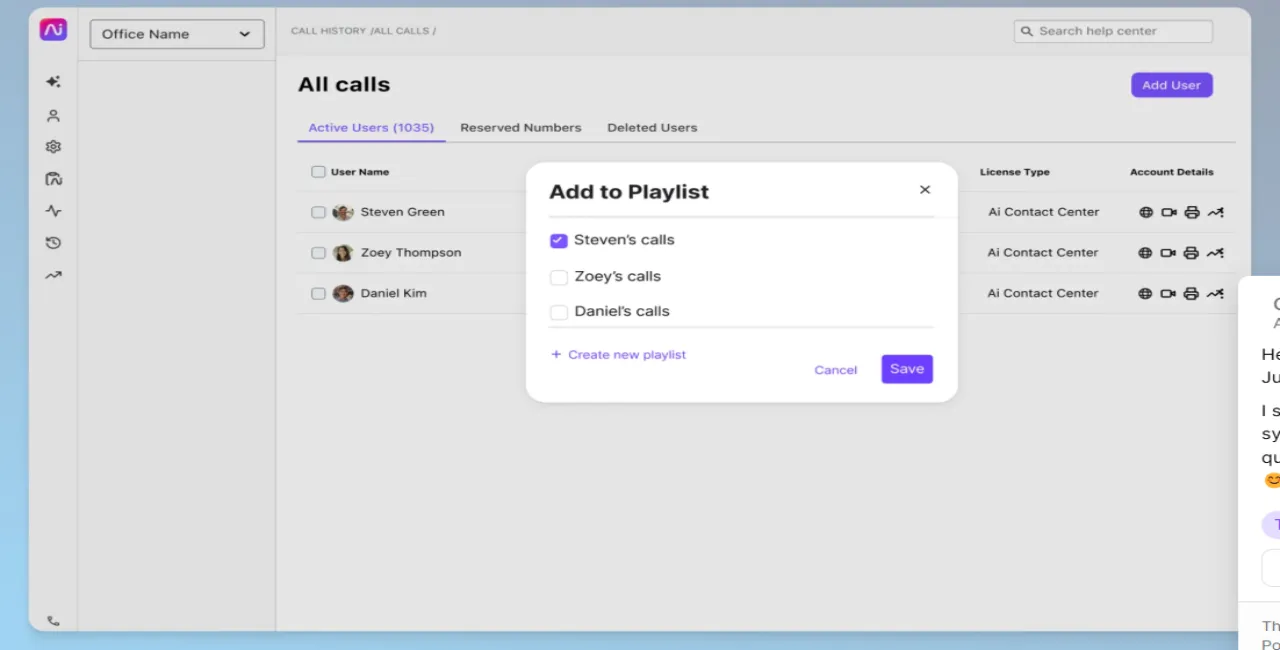
Dialpad is a good alternative to Zoom Phone for businesses that manage high volumes of customer calls, especially in sales and support roles.
While Zoom Phone focuses on basic VoIP and meeting integration, Dialpad offers a more robust suite for contact centers with built-in AI, real-time analytics, and live call transcription.
With Dialpad, managers can track call performance, monitor script adherence, and use AI Recaps to quickly review conversations. This makes it easier to train new agents and improve customer experience without switching between apps.
On top of that, Dialpad integrates with tools like Salesforce, Zendesk, and Google Workspace, keeping workflows efficient.
And unlike Zoom Phone, Dialpad gives contact center teams the tools they need to handle fast interactions as well as automate follow-ups across channels.
Dialpad Pricing
Price rating: 3/5
Dialpad charges per user. Also, minimum seat requirements can increase costs
5. Ooma

Ooma is a worthwhile Zoom Phone alternative for businesses that use overhead paging or need a built-in virtual receptionist.
Unlike Zoom Phone, Ooma Office supports multicast paging, ideal for retail, warehouses, or multi-room office setups. It also includes unlimited calling to the U.S., Canada, Mexico, and Puerto Rico in its base plan, something Zoom Phone only offers through add-ons or higher tiers.
That said, Ooma’s basic plan leaves out some critical features. Call recording, voicemail transcription, and analytics are only available in the Pro tier.
In addition, it locks business texting and video meetings behind that plan, and even then, limits text messaging to 250 per month. Keep that in mind if texting is an important part of your day-to-day communication.
Ooma Pricing
Price rating: 3/5
Ooma Office charges per user. Also, equipment and additional services affect costs.
6. OpenPhone
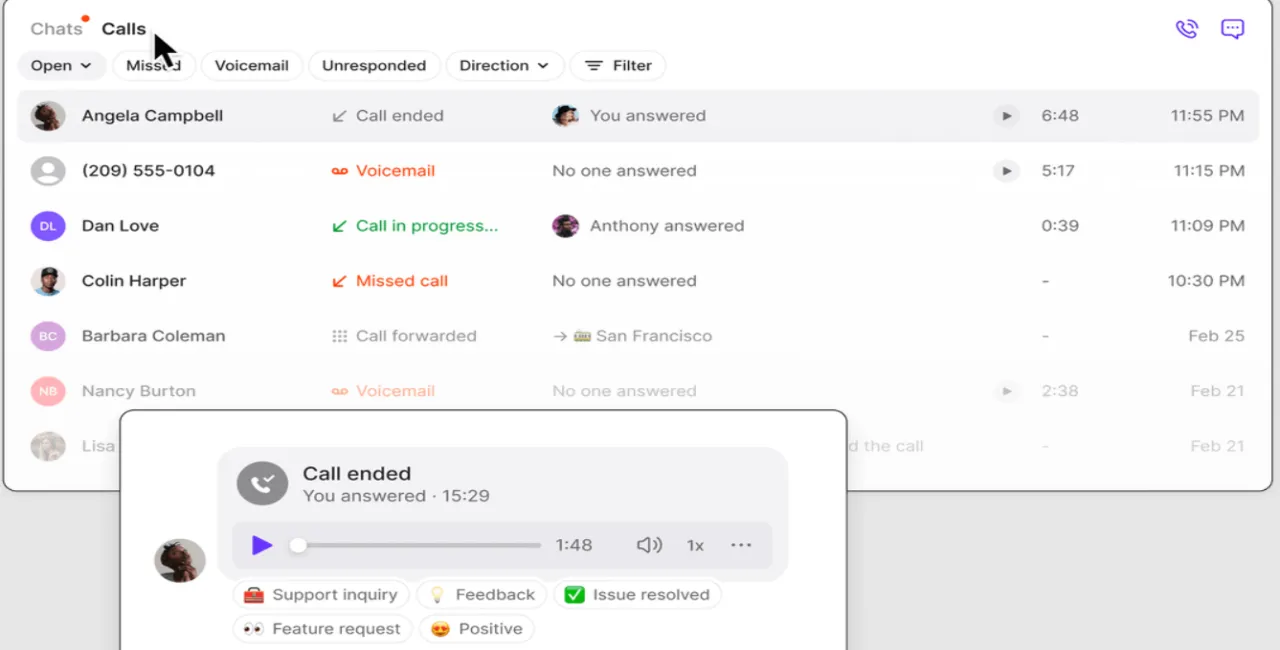
OpenPhone is a good Zoom Phone alternative for businesses and users who need to collaborate on customer communication inside one shared number.
Zoom Phone assigns one number per user and lacks shared inboxes, which means only one person can manage incoming messages on a given line.
OpenPhone, in contrast, allows multiple team members to send and receive texts and calls from the same business number. Furthermore, users can leave internal comments on each conversation. Zoom Phone doesn’t offer this level of real-time, in-thread collaboration.
OpenPhone is big on automation too. It supports Zapier integrations at the Premium level, letting teams automate tasks like logging calls to a CRM, tagging contacts, or sending follow-up texts.
OpenPhone Pricing
OpenPhone pricing is structured in three tiers as follows:
- Starter: $19/user/month
- Business: $33/user/month
- Scale: $47/user/month
How iPlum Pricing Compares to OpenPhone and Zoom Phone
iPlum’s plans range from $8.99 to $19.99/user/month. OpenPhone starts at $19 and climbs to $47, meaning iPlum’s highest tier is 58% cheaper than OpenPhone’s top plan. Zoom Phone starts at $10/user (metered) and goes up to $22.49 in its Business Plus bundle, making iPlum up to 60% less expensive and still offering compliance and call recording at lower tiers.
7. Google Voice
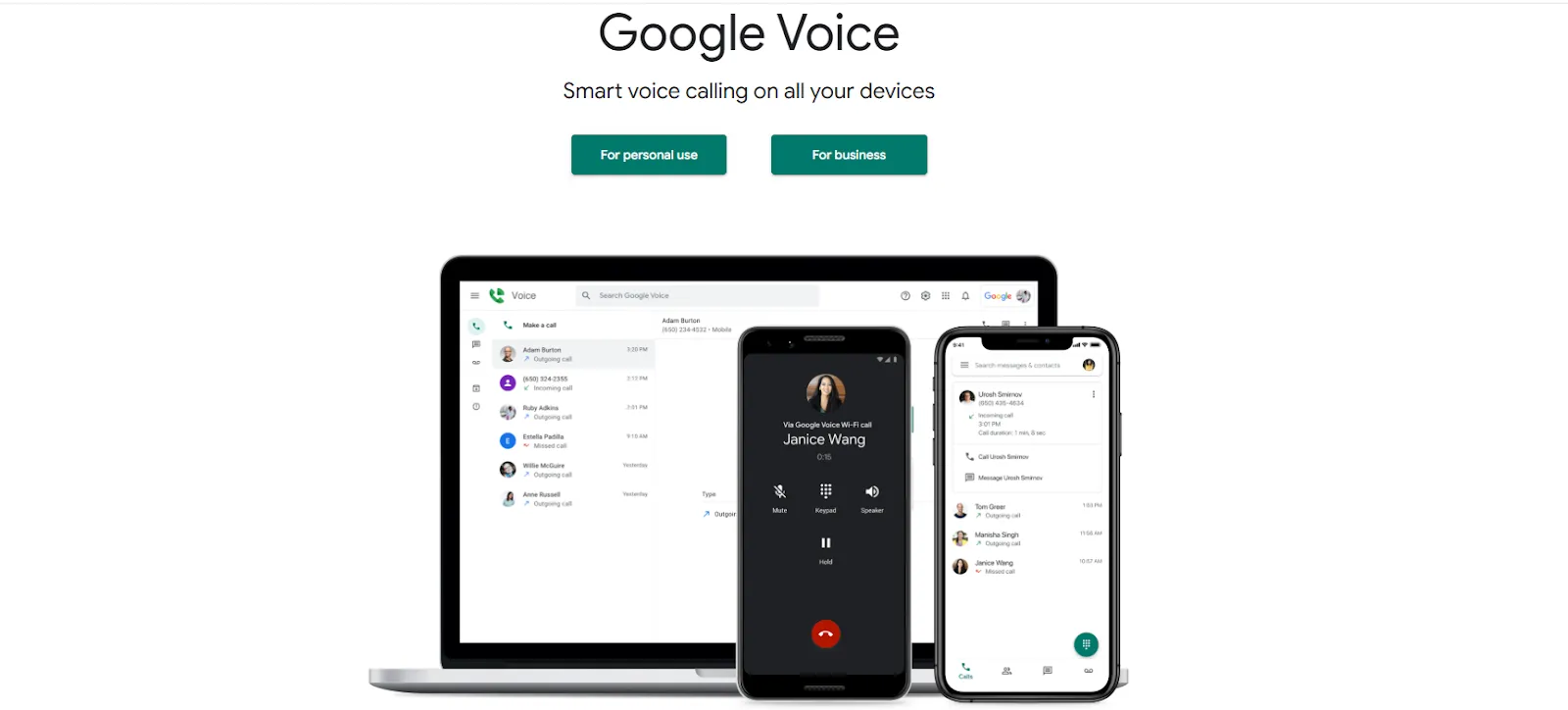
Google Voice is a practical Zoom Phone alternative for teams already using Google Workspace.
It integrates directly with Gmail, Google Calendar, and Google Meet, making it easy to manage calls and messages within tools your team already uses. Like Zoom Phone, Google Voice supports calling, texting, voicemail, and call forwarding, but with tighter Google ecosystem alignment.
One edge Google Voice has over Zoom Phone is simplicity. It’s easier to set up and manage smaller teams or businesses without IT support. You also get voicemail transcription, spam filtering, and number porting at lower tiers.
However, essential business features like auto-attendant, ring groups, and usage reports are only available on the Standard plan or higher. Also, Google Voice lacks advanced tools like call recording and encrypted texting, which may limit its usefulness in regulated industries.
Google Voice Pricing
Price rating: 3/5
OpenPhone charges per user. Higher plans add more call management features.
Best Zoom Phone Alternatives: Why Choose iPlum Over Competitors?
If you’re looking for the best Zoom Phone alternative, iPlum is the clear winner.
It gives you encrypted texting, call recording, and HIPAA compliance from your phone.
No other Zoom Phone competitor on this list offers the same security and features at such an affordable price.
Sure, others may offer extra tools, but these come with higher costs, not to mention features you may never use.
iPlum, on the other hand, thrives on simplicity and reliability. Plus, it’s built for professionals who communicate with clients every day.
So, whether you’re in healthcare, law, finance, or consulting, iPlum has everything you need to manage calls and texts the right way.
Stop overpaying for features you don’t need. Start using iPlum today to enjoy better value without breaking the bank.
Disclaimer: This article is intended for general informational purposes and may not reflect the most current features or capabilities of the products or companies mentioned. For the most accurate and up-to-date information, please refer to the official sources of each company.

